

Deploy RustFS
Last updated: April 8, 2026
RustFS is a lightweight, S3-compatible object storage. With the lowcloud Helm Release, you can deploy a RustFS instance in your Kubernetes cluster. Perfect for backups, media uploads, or as a storage backend for other applications.
Chart Registry: oci://registry-1.docker.io/cloudpirates/rustfs
The Helm Release is provided and maintained by Cloud Pirates.
Prerequisites
- A lowcloud account with an active cluster
- Access to the lowcloud Dashboard
Quick Start
Minimal configuration to get RustFS up and running:
auth:
  accessKey: rustfsadmin
  secretKey: changeme-secret-key
secretKey and change the default values before deploying.Configuration
Overview of the most important configuration options:
| Parameter | Description | Default |
|---|---|---|
image.tag | RustFS image version | 1.0.0-alpha.89 |
auth.accessKey | S3 Access Key (username) | rustfsadmin |
auth.secretKey | S3 Secret Key (password) | — |
config.consoleEnabled | Enable web console | true |
ingress.enabled | Enable ingress for S3 API | false |
consoleIngress.enabled | Enable ingress for web console | false |
dataPersistence.size | Size of the persistent volume | 10Gi |
resources.requests.cpu | CPU request | 100m |
resources.requests.memory | Memory request | 128Mi |
resources.limits.cpu | CPU limit | 500m |
resources.limits.memory | Memory limit | 512Mi |
Step-by-Step Guide
1. Add a Service
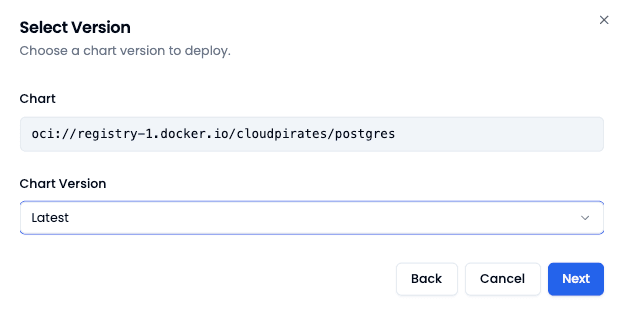
Navigate to Add Service in the lowcloud Dashboard and select Helm Release. Search for the RustFS registry in the popup:
oci://registry-1.docker.io/cloudpirates/rustfs
Then select the desired Helm Chart version. The "latest" option is a good choice in most cases.
2. Configure Values
Give the Helm Release a descriptive name in lowcloud (e.g. s3-storage).
Then adjust the values.yaml to your requirements:
image:
  tag: "1.0.0-alpha.89"

auth:
  accessKey: rustfsadmin
  secretKey: changeme-secret-key

config:
  consoleEnabled: true

ingress:
  enabled: false

consoleIngress:
  enabled: false

dataPersistence:
  size: 10Gi

resources:
  requests:
    cpu: 100m
    memory: 128Mi
  limits:
    cpu: 500m
    memory: 512Mi
config.consoleEnabled to manage buckets and files through the web console. Ingress can be enabled for external access if needed.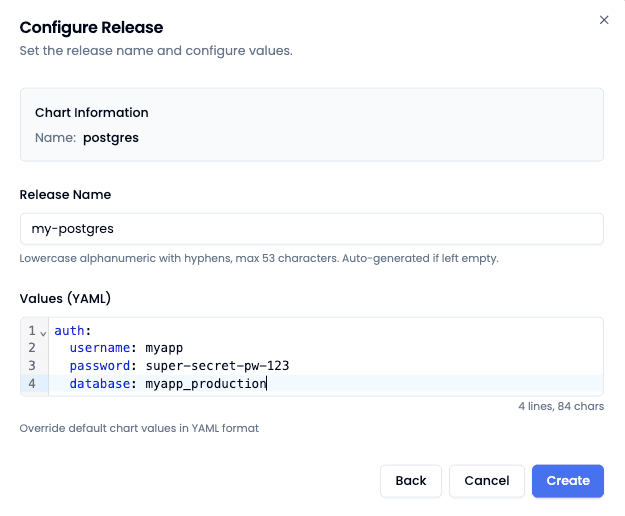
3. Start Deployment
Open the created service and click Deploy. Wait until the label in the Dashboard changes to "Deployed". Your S3-compatible object storage is then ready to use.
You can now connect with any S3-compatible client (e.g. aws-cli, mc, s3cmd) and use the accessKey / secretKey as credentials.